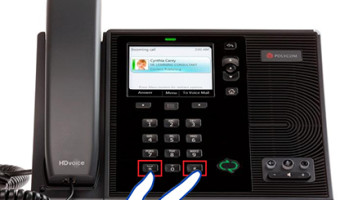
To Reset the POLYCOM Lync phone do the following steps. Press and HOLD * with # for five seconds. (Hard Reset - Hold down * and #, Factory Reset - Hold down 4 and 6.) Disconnect power (while pressing the above keys) Reconnect the phone's power supply. It will prompt for … [Read more...] about How to reset POLYCOM Lync Phone (CX500/CX600/CX3000 IP Phone)
Microsoft
Enabling Play Music On hold feature for Lync Client
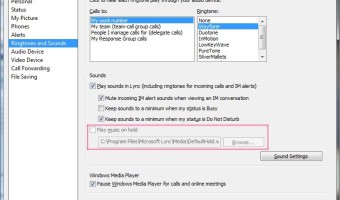
By default Lync Play music on hold feature is not enable in Lync. To view current settings of the client policy run the below command: Get-CSClientPolicy Global The setting of EnableClientMusicOnHold, is set to FALSE. So we have to set it to TRUE by executing below … [Read more...] about Enabling Play Music On hold feature for Lync Client
Getting Event Viewer Log contents by an Email
In this example I will show you how to send an email when the Account Locked out event is occurred. First we have to create a batch file to retrieve the event log contents to text file. We can use wevtutil to do this simply. (Microsoft Technet article - Using wevtutil) wevtutil … [Read more...] about Getting Event Viewer Log contents by an Email
TRACE Invalid logon attempts to Exchange Server

By Enabling the IIS log, All login information will be recorded in the application log, it includes the IP address of the client, Web Browser details, etc… Open IIS Manager console in administrative tools Expand the server name, sites. Click on the Default Web Site. Double … [Read more...] about TRACE Invalid logon attempts to Exchange Server
List down all locked user accounts in Active Directory
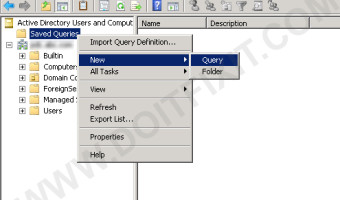
Go to Active Directory Users & Computers Under "Active Directory Users & Computers" right click "Saved Queries" click "New", "Query" Enter a Name and description for the query. Click "Define Query...". In the "Find" drop down list, select Custom … [Read more...] about List down all locked user accounts in Active Directory
