-340x200.jpg)
Part I - Microsoft Lync Server 2010 Step by Step Guide Part II - Microsoft Lync Server 2010 Step by Step GuideDNS Host (A) Recordsdialin.doitfixit.com 192.168.7.103admin.doitfixit.com 192.168.7.103meet.doitfixit.com 192.168.7.103Open Deployment wizard again and choose Install … [Read more...] about Install and Configure Lync Server 2010 Step by Step – Part III
Install and Configure Lync Server 2010 Step by Step – Part II
-340x200.jpg)
Previous Article - Microsoft Lync Server 2010 Step by Step Guide - Part I Part III - Microsoft Lync Server 2010 Step by Step GuideOpen Lync Server Depolyment Wizard Run Prepare first Standard Edition Server check the Deployment log. Install Topology Builder. Select New … [Read more...] about Install and Configure Lync Server 2010 Step by Step – Part II
Exchange 2010 Step-By-Step Installation Guide – Part II
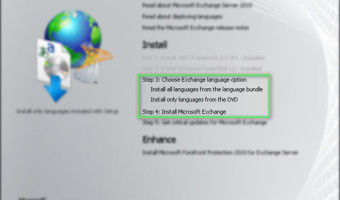
Previous Article - Exchange Server 2010 Step By Step - Part IExchange 2010 Installation Steps: When you double click on setup it will launch the below splash screen. If any pre-requisites still need to be installed, it will be dark black otherwise it will show them … [Read more...] about Exchange 2010 Step-By-Step Installation Guide – Part II
Microsoft Exchange Server 2013 Step by Step installation Guide – Part I
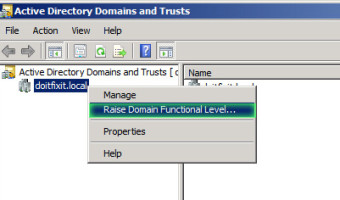
You can download Microsoft Windows Server 2012 and Exchange Server 2013 from below Microsoft links with evaluation period. Windows Server 2012 - http://technet.microsoft.com/en-us/evalcenter/hh670538.aspx Exchange Server 2013 - … [Read more...] about Microsoft Exchange Server 2013 Step by Step installation Guide – Part I
Importing a Microsoft IIS Server Certificate into FortiOS
-340x200.jpg)
When you are trying to import a Server Certificate generated from a Microsoft IIS server the FortiGate displays the following error message ''Failed to import File''. To import Certificate in to Forti OS you should have Certificate file and Key file. The first one must contain … [Read more...] about Importing a Microsoft IIS Server Certificate into FortiOS
