-340x200.jpg)
Required Components RJ-45 to DB9 Console Cable RJ-45 Cable TFTP Server Putty Log in to https://support.fortinet.com/EntryPage.aspxClick "Firmware Images" under the Download section. Click on "FortiGate" Click on required Firmware Version. Click on the required Patch. … [Read more...] about Loading FortiGate firmware image using TFTP
CA Arcserve Backup R16.5 Step By Step
-340x200.jpg)
With extensive management features that work together to help reduce the time you spend managing your backups, CA ARCserve Backup provides “enterprise-class” functionality that is optimized to support your IT architecture, including virtual and cloud-based technologies, no matter … [Read more...] about CA Arcserve Backup R16.5 Step By Step
#501″FQDN” is invalid or DNS says does not exist
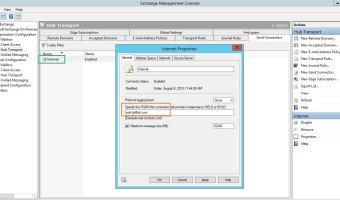
Undeliverable: destinationdomain.com rejected your message to the following e-mail addresses:Recipient (recipient@destinationdomain.com)destinationdomain.com gave this error:<EX01.doitfixit.local> is invalid or DNS says does not exist A problem occurred during the delivery … [Read more...] about #501″FQDN” is invalid or DNS says does not exist
Poor Network Copy Speed Hyper-V Virtual Machine
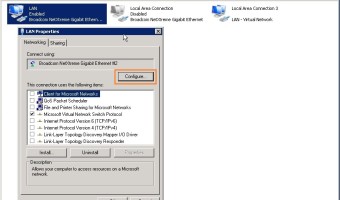
You may face to very slow network copy performance in Hyper-V Virtual Machines. To fix this issue go to your LAN Card properties and Click Configure... In the Advanced tab, Select Virtual Machine Queues and change the Value to Disabled. … [Read more...] about Poor Network Copy Speed Hyper-V Virtual Machine
Active Directory Certificate Services on Server 2012
-340x200.jpg)
On the Server Manager click Add roles and features Select Role-Based or feature-based installation Select a server. Select Active Directory Certificate Services and click OK with default IIS settings. Select role services. Click Install Click Close Start Configure … [Read more...] about Active Directory Certificate Services on Server 2012
