• Home
  • About us
  • Contact
  • Skip to primary navigation
  • Skip to main content
  • Skip to primary sidebar

Welcome to www.DoitFixit.com

www.doitfixit.com

  • Microsoft
  • Fortinet
  • Symantec
  • Office 365
  • Azure
  • Others
  • Show Search
Hide Search

Configure FortiGate FortiToken Step by Step

July 17, 2015 By Damitha Anuradha 1 Comment

In this step by step guide I will show you how to assign FortiGate FortiToken unit to admin and SSL VPN user.

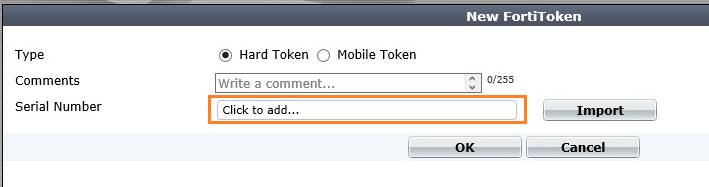
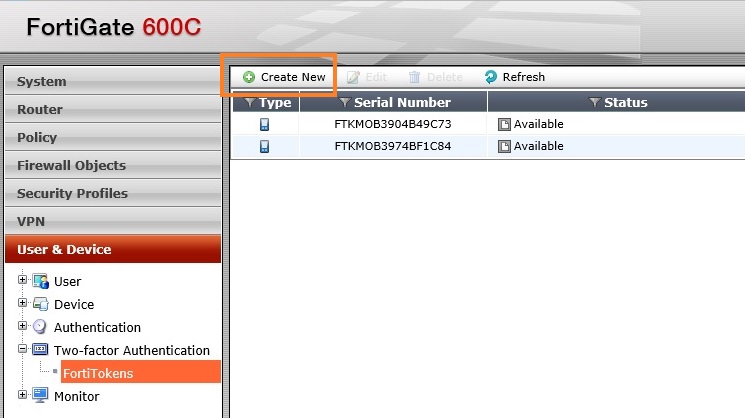
Go to User & Device -> Two-factor Authentication -> FortiTokens. Click Create New.
FortiToken_Configuration_Step_by_Step_www.doitfixit.com (1)

Click to add…

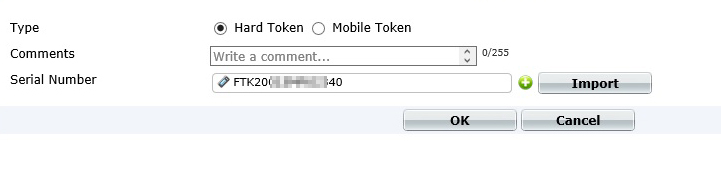
FortiToken_Configuration_Step_by_Step_www.doitfixit.com (2)

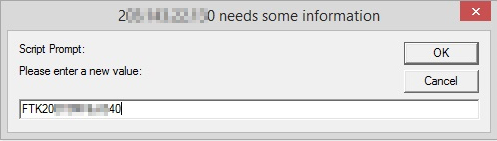
Enter the serial number and click OK.
FortiToken_Configuration_Step_by_Step_www.doitfixit.com (3)

FortiToken_Configuration_Step_by_Step_www.doitfixit.com (4)

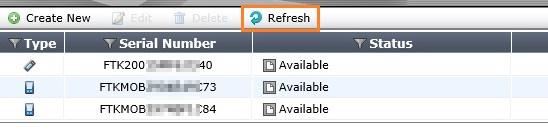
Click Refresh to refresh the status. If you have any error in status please submit a Ticket via support portal.
FortiToken_Configuration_Step_by_Step_www.doitfixit.com (6)
Now you can assign registered token to Admin User.

FortiToken_Configuration_Step_by_Step_www.doitfixit.com (7)FortiToken_Configuration_Step_by_Step_www.doitfixit.com (7)
FortiToken_Configuration_Step_by_Step_www.doitfixit.com (8)
FortiToken_Configuration_Step_by_Step_www.doitfixit.com (9)
FortiToken_Configuration_Step_by_Step_www.doitfixit.com (11)

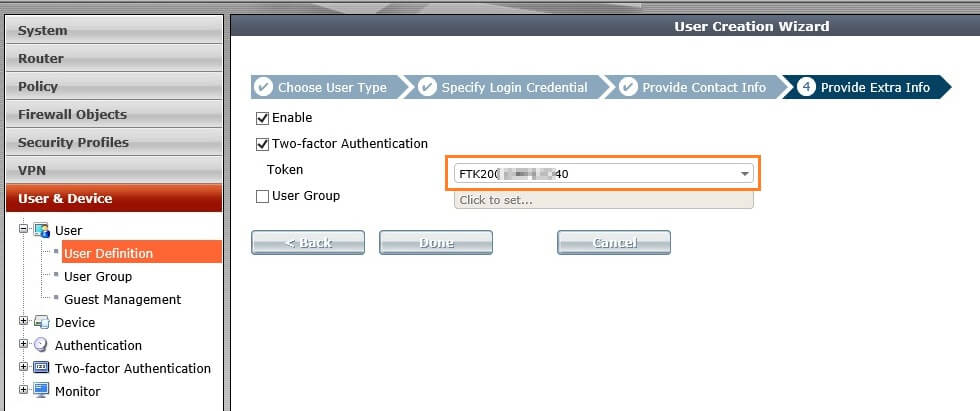
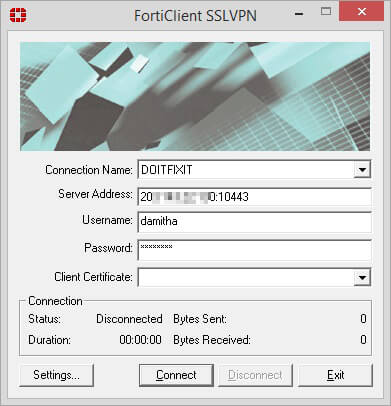
Assign FortiToken to VPN user.
FortiToken_Configuration_Step_by_Step_www.doitfixit.com (12) FortiToken_Configuration_Step_by_Step_www.doitfixit.com (13) FortiToken_Configuration_Step_by_Step_www.doitfixit.com (14) FortiToken_Configuration_Step_by_Step_www.doitfixit.com (15) FortiToken_Configuration_Step_by_Step_www.doitfixit.com (16)

Reader Interactions

Comments

  1. Paolo says

    January 21, 2016 at 1:26 am

    Thanks! 🙂

    Reply

Leave a Reply Cancel reply

Your email address will not be published. Required fields are marked *

Primary Sidebar

Recent Posts

  • Fixing the “A user with this name already exists. Use a different name.” Error in Microsoft 365
  • Veeam Backup – Failed to prepare guests for volume snapshot
  • How to Configure/Integrate FortiClient EMS with FortiAnalyzer
  • Backup Hyper-V Virtual Machines with Pass-Through Disks
  • Slow Network Speed with Hyper-V Virtual Machines on Windows Server Server 2019
  • Block MS Exchange Server OWA access from Internet
  • Error 1168 – The specified product key could not be validated.
  • Unable to Enable Desktop Icons after Joining to the Domain
  • Veritas BackupExec – A backup set was created which contains no data 0xe00084b7
  • Download Offline Address Book – Unexpected Error has occurred